
OBIEE11.1.1.7.0 Software Only Installation on Windows 7 64bit
I have seen there are so many people getting difficulty with installing obiee11g on windows 7 32/64 bit Home/ultimate/pro edition, after 3 attempts i just make it work obiee11.1.1.6.0 as well obiee11.1.1.7.0 (simple/software only installation type) got working fine.
While 1st and 2nd time installation and configuration duration have faced below issues,
Creating domain failed, configuration getting hang over and Admin Server/opmn failed kind of issues. After checking oracle documents and uninstall and reinstall several times then i found the solution for above issues due to java unable to find it web logic domain creation steps, and there is problem with antivirus block to hosts on windows 7 Sony laptop after correcting this things then it’s got working fine with 1st attempt itself. I just sharing this steps with screen short
Prerequisites for OBIEE 11g:
1) OBIEE11g & RCU 11.1.1.7.0 Software Download:
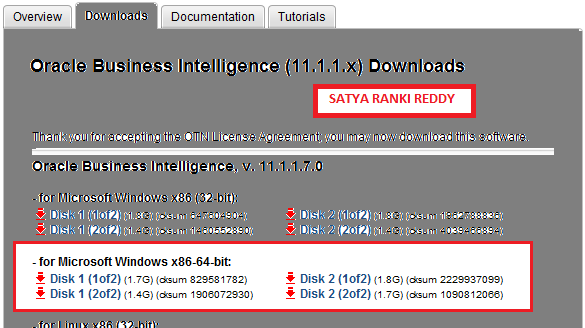
OBIEE11.1.1.7.0 you can download the software from the Oracle Technology Network (OTN).
http://www.oracle.com/technetwork/middleware/bi-enterprise-edition/downloads/bi-downloads-1923016.html also downloads RCU11.1.1.7.0 32bit /64 bit for installing MDS/DEV_BIPLATFORM Schema.
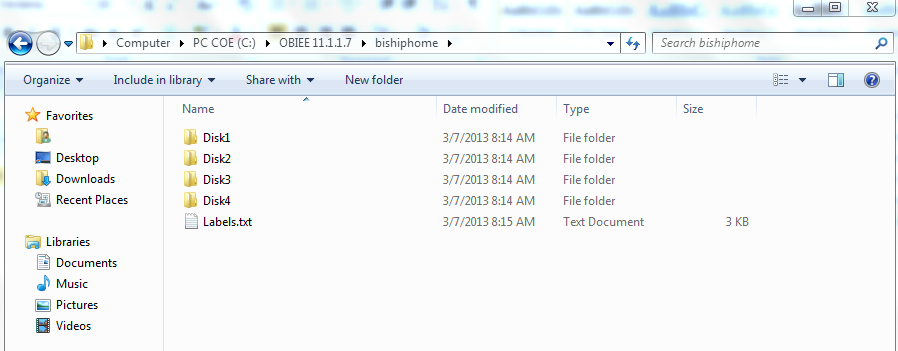
once you complete the download the downloaded files will stored like below root structure(note: once complete the download please confirm fully downloaded double check this size sometimes the network problem it may be corrupted.
Java download:
http://www.oracle.com/technetwork/java/javase/downloads/jdk7-downloads-1880260.html
I just download jdk-7u21-windows-x64.exe 64bit version
And then installed jave like below path
C:\Java\jdk1.7.0_21\ bin
C:\Java\jre7 \bin
System Requirements:
System Configuration:
Windows 7 Home Premium/Ultimate/Professional Edition
System Type: 32/64 bit operating system
Disk Space 20GB or higher
Physical Memory Min 4GB and above
Temp Space 1GB
Swap Space 3GB
CPU & Processor: Intel dual-core i3/i5/i7 64 Bit, 2.10GHz or greater
Internet Explorer 8 or Google chrome/Mozilla/firebox etc..
Other Requirements
Environmental Variables TEMP and TMP (make sure this root folder should not keep any space)
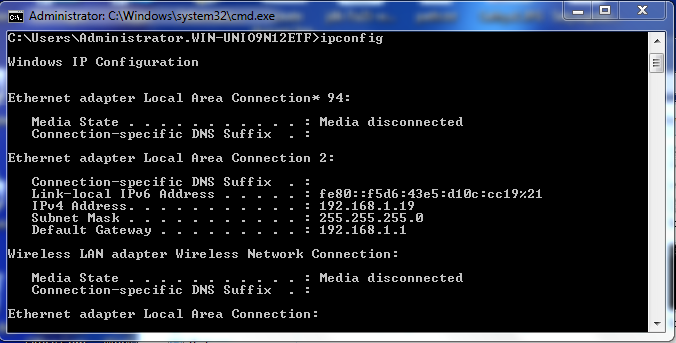
Install Loopback Adapter with Static IP AddressNote: hots/host/etc file the static ip should be set like below
http://satyaobieesolutions.blogspot.in/2012/06/obiee-11.html
# localhost name resolution is handled within DNS itself.
192.168.19 localhost satya-PC
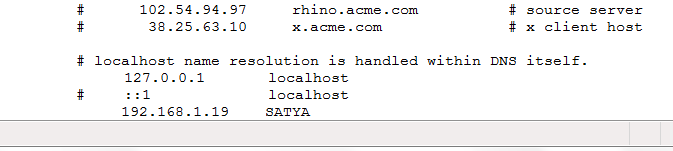
(IP address host domain name host/computer name)
JDK 7 version (64bit)
Adobe Flash Player 10 and above
Oracle Database 11.1.0.7.0 or higher
WebLogic Installation:
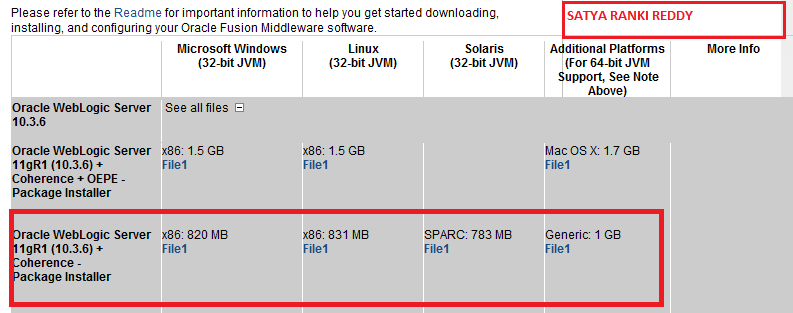
Web logic 10.3.6.0 64bit download and kept it like below path (u can also use web logic 10.3.5 but you to install jdk 1.6)
Note: weblogic 10.3.5 jdk 7 not supported.
you can download weblogic 10.3.5/6 by using below screen,
http://www.oracle.com/technetwork/middleware/ias/downloads/wls-main-097127.html
D:\OBIEE111170\wls1036_generic.jar
Web logic 10.3.5/6 64bit installation must run like below
go --> windows --->type run ==> cmd prompt -->
Microsoft Windows [Version 6.1.7601]
Copyright (c) 2009 Microsoft Corporation. All rights reserved.
C:\Users\satya>cd..
C:\Users>cd..
C:\>cd C:\Java\jdk1.7.0_21\ bin
C:\Java\jdk1.7.0_21\ bin >java -D64 -jar D:\OBIEE111160\wls1036_generic.jar
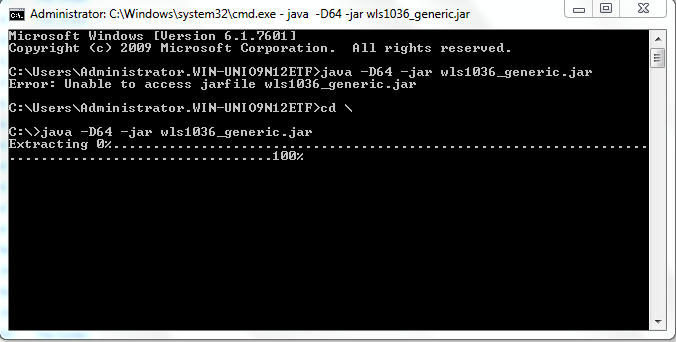
Note: weblogic 10.3.6 64bit installtion u need to use above command.
Weblogic 10.3.6.0 64 bit installation steps on windows 7:
click next and select Middleware (weblogic server) installation drive (note:make sure you have 20GB free hard disk space )

click next


uncheck and click next,


uncheck and check configuration this machine,

just select installtion type as "typical" by this step u can install selective weblogic installation settup files.

if its correctly pointing java path then its automattically picked up here..

just click next and...

next....


RCU 11.1.1.7.0 Installation Step
just go to you rcu downloaded path ...
D:\OBIEE111170\rcuHome\BIN\rcu.bat and run as Administrator the select radio button as create..like below screen...
RCU installation please refer my blog.
OBIEE11.1.1.7.0 Software Only installation type on windows 7 64bit
Go to you obiee11g download saved file path mine is like below C:\OBIEE111170\bishiphome\Disk1\setup.exe run as administrator and click next...


click Finish...
OBIEE11.1.1.7.0 Configuration Steps:
click next ...C:\Oracle\Oracle_BI1\bin\config.bat and run as "Adminstrator"


Here you have give weblogic username password.
Note: Please remember this username and password.

Don't change any thing here. Please keep it as default.

RCU username and password you have to specify here.


For check the Bi Components status via OPMN Command..
All the services are running or not.

Good Luck!!!!!
Thanks,
Satya Ranki Reddy


